1
Open Wi-Fi settings
Open Settings, select Wi-Fi then choose eduroam.
 Need help connecting?
01226 216555
Need help connecting?
01226 216555
Use your College account to get secure Wi-Fi at Barnsley College and participating education organisations around the world.
Choose your deviceDo not enter only your student number or short username.
eduroam CAT provides installers and configuration profiles for supported devices. Select Barnsley College when prompted.
Choose a device to open the instructions.
Open Settings, select Wi-Fi then choose eduroam.
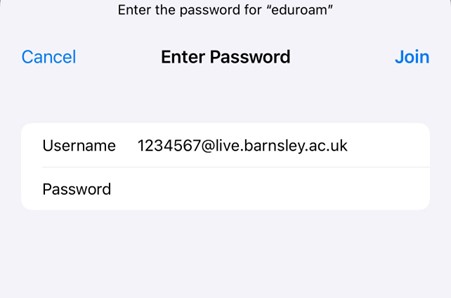
Enter your full student or staff College email address and your College password then select Join.
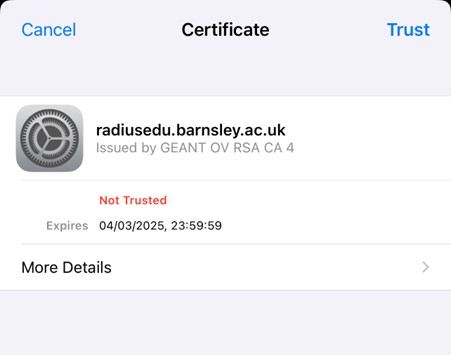
Check that the certificate screen refers to the College eduroam service then select Trust.
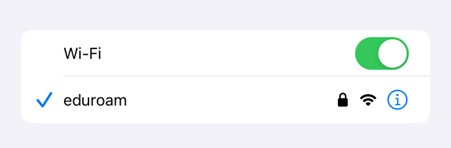
A tick beside eduroam confirms that your device is connected.
Install geteduroam from Google Play.
Open Google Play
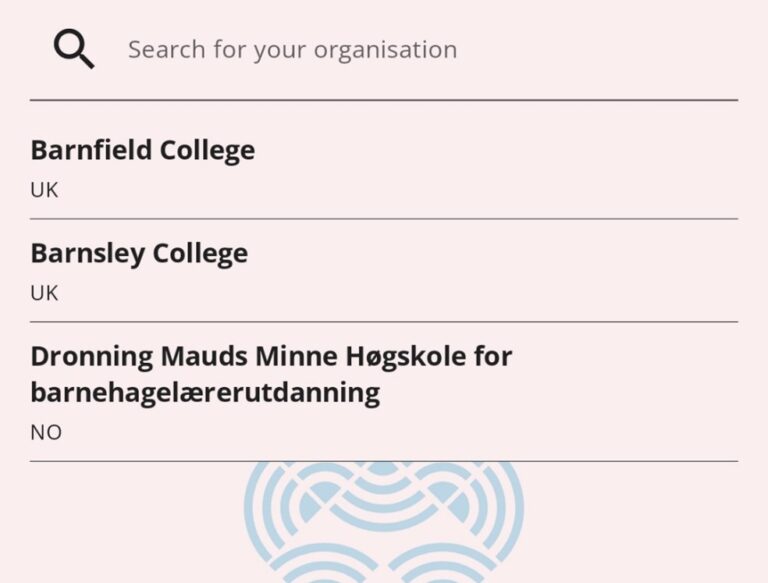
Open the app, search for Barnsley College then select it from the results.
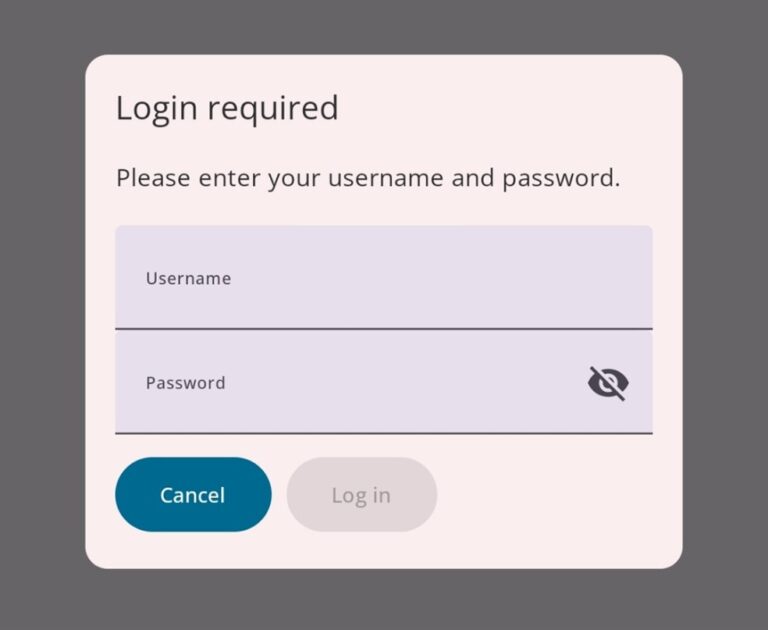
Enter your full student or staff College email address and College password then select Log in.
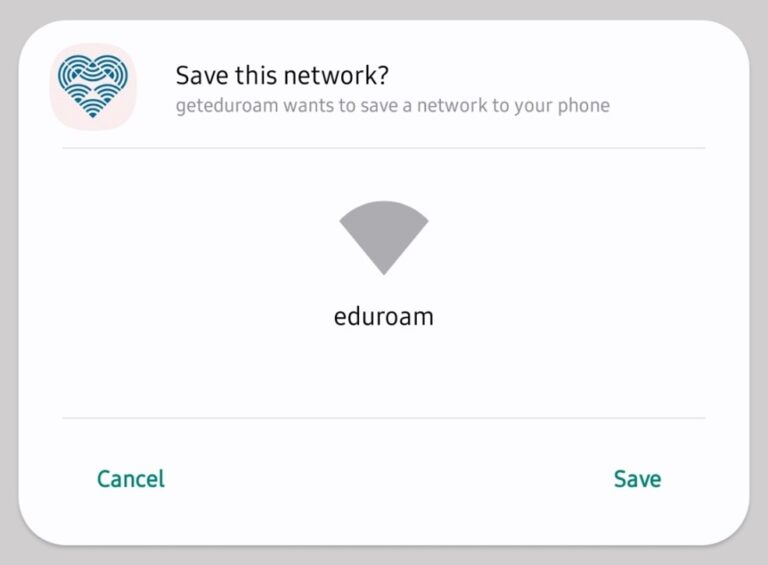
Select Save when Android asks to save the network. Your device should then connect to eduroam.
Open Settings, select Wi-Fi then choose eduroam.
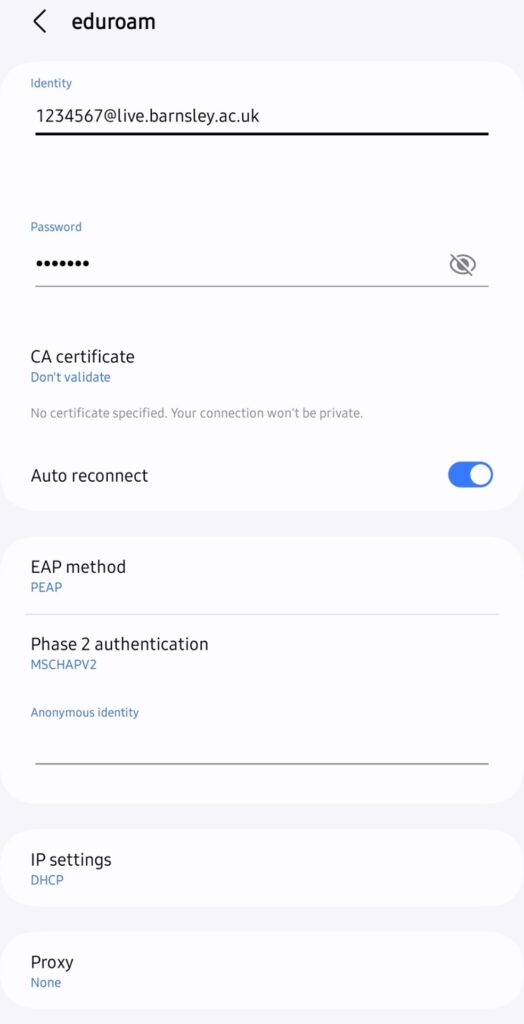
Select Connect. Your device should then show eduroam as connected.
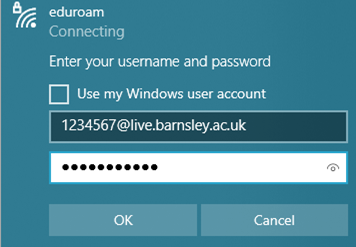
Select the Wi-Fi icon on the taskbar then select eduroam from the network list.
Enter your full student or staff College email address and College password then select OK.
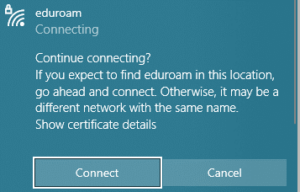
If Windows asks whether you expect to find eduroam in this location, select Connect.
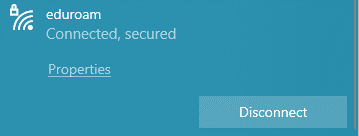
Windows should show Connected, secured.
Open Wi-Fi settings then select eduroam.
Enter your full student or staff College email address and College password then select OK.
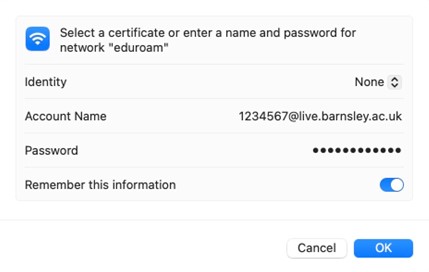
Check that the certificate prompt refers to the College eduroam service then select Continue. Your Mac may ask for its administrator password.
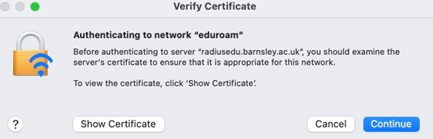
A tick beside eduroam confirms the connection.

Open Settings, select Wi-Fi then choose eduroam.
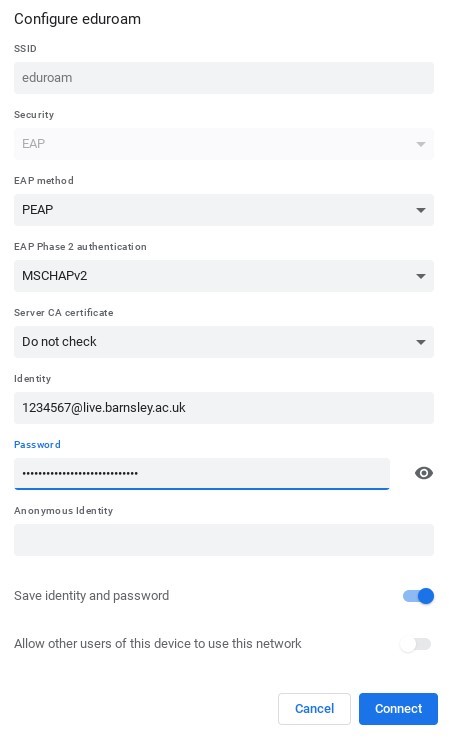
Select Connect. The Wi-Fi menu should then show eduroam as connected.
Your device may keep trying the old password. Forget eduroam in Wi-Fi settings then reconnect using your new College password.
Sign in to a College computer and change your temporary enrolment password before trying to connect your device.
Use your full College email address.
Students must include @live.barnsley.ac.uk.
Staff must include @barnsley.ac.uk.
Restart Wi-Fi on your device then try again. If it still fails, contact the IT ServiceDesk.
Contact the IT ServiceDesk and tell us which device you are using and what happens when you try to connect.
Opening hours Monday to Thursday 8.30am to 6.00pm Friday 8.30am to 4.30pm